

A guide to the Researcher and Analyst Agents in Microsoft 365 Copilot
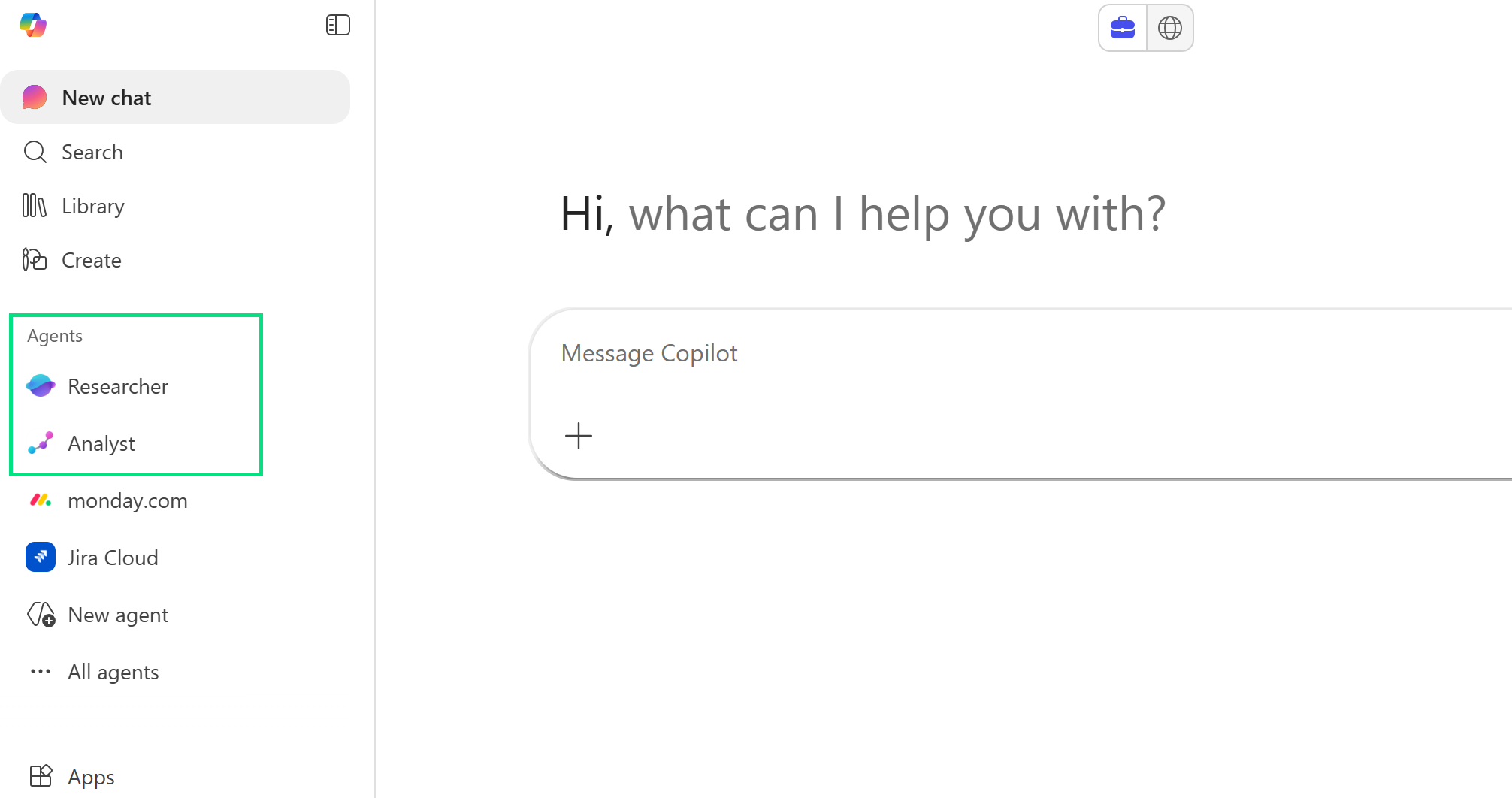
As more organisations deploy and adopt AI as part of everyday work, the conversation is beginning to shift from using AI as a handy assistant, to deploying agents that can act on our behalf.
What many people may not realise is that they already have access to two powerful tools designed for exactly this kind of work: Researcher and Analyst, both included with Microsoft 365 Copilot.
These two Copilot agents aren’t new. They’ve been around for roughly a year, first appearing in preview during spring 2025 and becoming generally available not long after. But as interest in agentic AI grows, their role and value is becoming much clearer.
So if you’ve heard the names but aren’t quite sure what they actually do, this guide is for you! We’ll take a look at what they are, how they’re different, and when you might use them at work.
Wait – what are Agents?
Put simply, AI agents can carry out actions and tasks on your behalf, without your involvement.
They can think, act, and make decisions completely autonomously. Making choices and solving problems without needing someone to give it specific instructions.
(You can check out our “What is Agentic AI?” blog for a deeper dive on this!)
Researcher in Microsoft 365 Copilot
Researcher in Copilot is an agent that can be used for complex, multi-step research work. It brings together information from your Microsoft 365 data (like emails, files, meetings and chats) and the wider web, to analyse a topic and produce detailed insights.
It then produces these results in structured reports that are easy to read and share. These reports can include visuals, like charts and graphs, as well cited sources to ensure you know exactly where the information has come from.
What you might use Researcher in Copilot for?
Instead of just summarising a document or asking for basic information about a single topic, Researcher goes beyond this to work through multiple steps, check different sources, and bring findings together from multiple sources, in a cohesive way.
There’s a number of different (and powerful) use cases for Researcher:
-
In-dept competitor analysis
-
Build go-to-market strategies
-
Identify new product opportunities based on market trends
-
Create quarterly reports tailored to your Leadership team
By automatically pulling information from your Microsoft 365 data and the wider web, Researcher is the ideal agent for complex research tasks. Saving you hours of time and allowing you to focus on decisions-making, rather than information gathering.
Analyst in Microsoft 365 Copilot
Analyst is about data, acting as your own personal data scientist.
It can look at complex spreadsheets, datasets, and databases, working through problems step by step to perform advanced analysis, make sense of the information, and identify trends.
It’s worth noting that it requires good data quality – and can’t magically fix poor data!
What you might use Analyst in Copilot for?
While you can ask for analysis of data in the standard Copilot experience, Analyst goes much deeper. It can show its workings, running calculations or code, to show you exactly what it’s doing.
Some of the key uses include:
-
Identifying trends or patterns in data
-
Turning numbers into charts or data-driven reports
-
Exploring deeper meanings in your data to see why something is happening
By taking complex data and breaking it down into clear insights, Analyst saves you time so you can focus on decisions instead of spreadsheets!
Key things to remember when using the Researcher and Analyst Agents
Remember, while Researcher and Analyst are both powerful, they’re not magic. Even if it seems like it.
They still rely on good prompts, so it’s important that you provide as much context as possible, and are clear about the outcome you are looking for.
A few other things to keep in mind:
-
Be clear about the task – what are you trying to achieve, and who is the output for?
-
Include the outcome – what do you want the outcome to be? Insights, options, a recommendation, or a detailed summary?
-
Treat the output as a starting point – not a finished answer. Review it, sense‑check it, and refine where needed.
-
Use your judgement – these tools support decision‑making, they don’t replace it.
Used well, Researcher and Analyst can remove a lot of heavy lifting from two of the most common workplace tasks – both of which can be time consuming. They help you focus less on gathering or delving into information, and more on making informed decisions with it.
If you are starting to explore Agentic AI tools within the workplace, these both offer an ideal starting point.
